
Installation notes
For ROOM 3D communications platform for Windows 7 & 10
Step 1. Click the download link with the Windows logo. When asked, choose either option Save or Run to proceed.

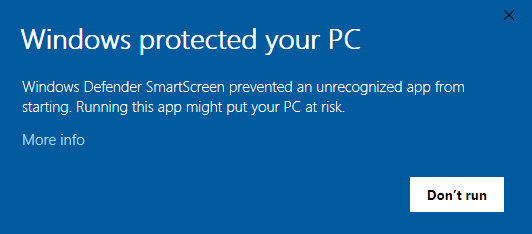
Step 2. After downloading the installer, run the executable. The following message will appear.
Click More info to expand the message panel.
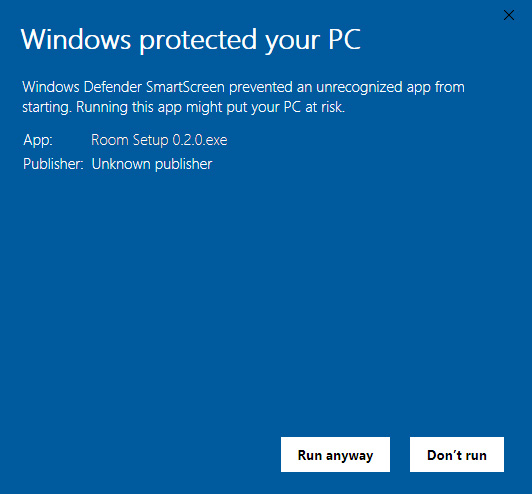
Step 3. You will get the following options to choose. Select Run anyway to get ROOM installed
Step 4. Once successfully installed, ROOM application will open automatically.
